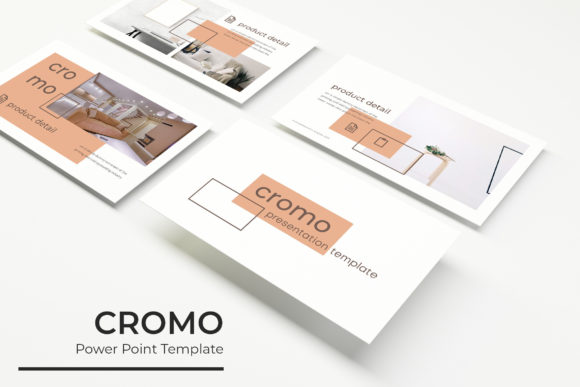
Cromo Power Point Template: A Modern Design Solution for Professional Presentations
In today’s fast-paced digital world, the ability to communicate ideas clearly and visually is more important than ever. Whether you're a business professional, educator, marketer, or creative, having a powerful presentation tool can make all the difference. Enter the Cromo Power Point Template, a versatile and professional design solution that caters to a wide range of users looking to elevate their presentations with style and efficiency.
What Makes Cromo Power Point Template Unique?
The Cromo Power Point Template stands out in a crowded market by combining aesthetic appeal with practical functionality. Designed for professionals who value both form and function, this template offers a comprehensive set of features that streamline the presentation creation process while maintaining a polished, modern look.
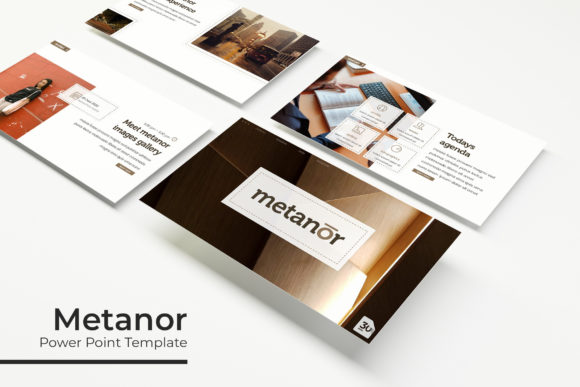
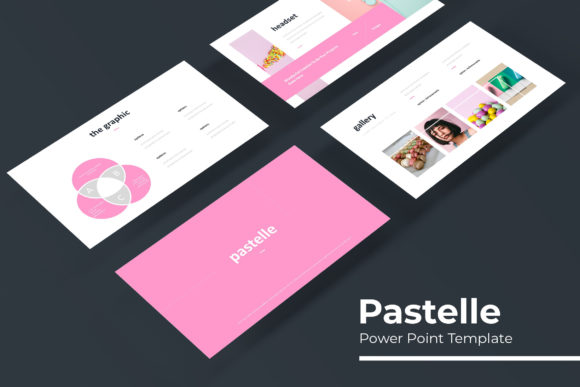
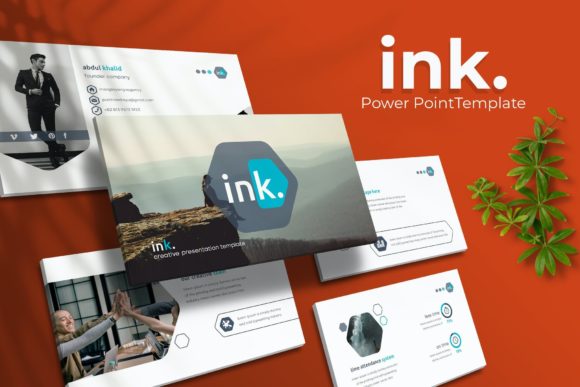
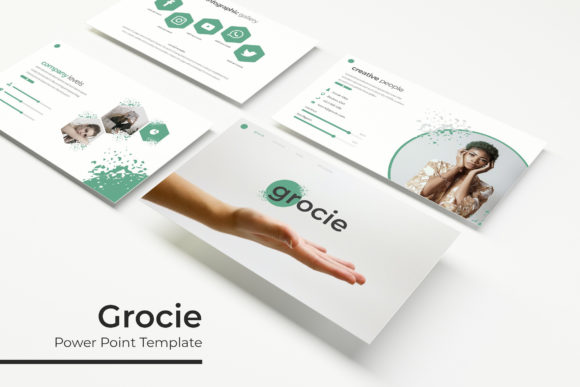
One of the most notable aspects of the Cromo Power Point Template is its extensive library of slides. With 150 total slides across five different templates, each offering 30 slides, users have a vast array of options to choose from. This variety ensures that whether you're presenting a business plan, a creative project, or an educational lecture, there's a slide layout that fits your needs.
Color Options and Customization
Visual consistency is key in any professional presentation, and the Cromo Power Point Template delivers on this front with five pre-made color schemes. Each template includes five color variations, allowing users to match their brand identity or personal style effortlessly. This level of customization not only enhances visual appeal but also helps in reinforcing brand messaging across multiple platforms.
Moreover, the template supports drag-and-drop functionality, making it easy to rearrange slides and adjust content without needing advanced design skills. The use of master slides ensures that any changes made to the overall design are reflected consistently throughout the entire presentation, saving time and reducing errors.
Handcrafted Infographics and Section Breaks
Infographics have become a go-to tool for simplifying complex data and engaging audiences. The Cromo Power Point Template includes handcrafted infographics that are both visually appealing and informative. These graphics are designed to be easily editable, allowing users to customize data points, add icons, or modify layouts to suit their specific needs.
Section break slides are another valuable feature of the template. These slides help organize content into distinct sections, making the presentation more structured and easier to follow. For users who need to present multi-faceted information, such as project updates or product launches, these section breaks provide a clear framework for delivering content effectively.
Gallery and Portfolio Slides
For creatives, entrepreneurs, and professionals who showcase their work, the Cromo Power Point Template includes dedicated gallery and portfolio slides. These slides allow users to display images, projects, or case studies in a clean and professional manner. The resizable and editable graphic picture placeholders ensure that visuals can be adjusted to fit different screen sizes and resolutions without losing quality.
This feature is especially useful for designers, photographers, and artists who need to present their work in a compelling way. By using the gallery and portfolio slides, they can create a cohesive visual narrative that highlights their strengths and achievements.
Pixel-Perfect Illustrations and Editable Graphics
The Cromo Power Point Template is built with pixel-perfect illustrations that add a touch of sophistication to any presentation. These illustrations are not just decorative; they serve to enhance the message being conveyed. Whether it's a simple icon or a detailed diagram, the illustrations are designed to be both functional and aesthetically pleasing.
In addition, the template includes editable graphics that can be modified to fit specific content. This flexibility allows users to tailor the visuals to their unique needs, ensuring that the presentation remains relevant and engaging for the target audience.
What’s Included in the Template Package?
The Cromo Power Point Template comes with a comprehensive package that includes five PPTX files, each optimized for widescreen displays. This ensures that the presentation looks great on any device, from laptops to projectors. The inclusion of five pre-made color schemes provides immediate versatility, while the readme file offers guidance on how to use the template effectively.
A free font download link is also included, giving users access to high-quality typography that complements the overall design. This attention to detail reflects the template’s commitment to providing a complete and user-friendly experience.
Practical Implications for Users
For professionals, the Cromo Power Point Template offers a reliable and efficient way to create presentations that stand out. Its intuitive design and customizable features reduce the time spent on formatting, allowing users to focus on the content itself. This is particularly beneficial for those with busy schedules who need to produce high-quality presentations quickly.
For educators and trainers, the template’s gallery and portfolio slides provide an excellent platform for showcasing student work or course materials. The section break slides help in organizing lessons and making them more digestible for students. Overall, the template supports a wide range of educational needs, making it a valuable resource for teachers and instructional designers.
Adapting to Modern Workflows and User Expectations
As remote work and digital communication continue to shape modern workflows, the demand for effective presentation tools has never been higher. The Cromo Power Point Template meets this demand by offering a flexible and professional solution that adapts to various use cases. Its drag-and-drop functionality and editable graphics make it accessible to users of all skill levels, from beginners to seasoned designers.
Additionally, the template aligns with current trends in visual storytelling and data visualization. As audiences become more discerning, the need for visually engaging and informative content has increased. The Cromo Power Point Template addresses this by providing tools that help users convey complex ideas in a clear and compelling way.
Recommendations for Effective Use
To get the most out of the Cromo Power Point Template, consider the following recommendations:
- Plan your content before designing: Having a clear structure in mind will help you select the right slides and customize them effectively.
- Use the color variations strategically: Choose colors that align with your brand or the theme of your presentation to maintain visual consistency.
- Customize infographics and illustrations: Tailor these elements to reflect your specific data or message for maximum impact.
- Test your presentation on different devices: Ensure that your slides look good on all screens, including mobile devices and projectors.
By following these tips, users can maximize the potential of the Cromo Power Point Template and create presentations that resonate with their audience.
Conclusion
The Cromo Power Point Template is more than just a collection of slides—it's a powerful tool that empowers users to create professional, visually stunning presentations with ease. Its combination of design flexibility, customization options, and practical features makes it a valuable asset for anyone looking to enhance their communication skills.
Whether you're preparing for a business meeting, an academic lecture, or a creative showcase, the Cromo Power Point Template offers a reliable and stylish solution that meets the demands of modern presentations. With its thoughtful design and user-friendly interface, it's no wonder that this template is gaining popularity among professionals and creators alike.