Six Keynote Template: Streamlined Design System
Crafting a presentation that holds attention requires more than just good data. It demands a visual narrative that supports your message without creating distractions. Many professionals find themselves spending hours aligning shapes, sourcing coherent icons, or adjusting color palettes instead of focusing on their core argument. Having access to a structured design system can shift that effort back to where it belongs. The Six Keynote Template provides a foundation built on coherence and variety, offering a practical starting point for a wide range of presentation needs—from quarterly business reviews to creative portfolio showcases.
Why a Structured Template Saves Time and Effort
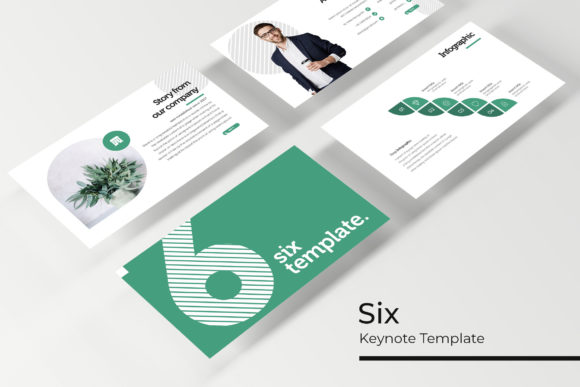
The foundation of any efficient presentation workflow is consistency. The Six Keynote Template addresses this directly through its extensive library of 150 total slides. These are not random layouts; they are systematically organized into 5 distinct color variations, giving you 30 slides per template. This volume allows you to build a lengthy deck without ever feeling like you are repeating the same slide design. Whether you are preparing a sales pitch or an internal training module, having access to varied yet visually unified layouts eliminates the friction of starting from a blank canvas. The use of Master Slides further ensures that any global changes—like swapping a font or adjusting a background element—propagate instantly across the entire deck. This is a practical safeguard against design drift, especially when multiple team members are contributing to the same file.
Using Color Variations and Section Breaks to Guide the Viewer
Audiences often rely on visual cues to follow a narrative. Clear transitions between topics help maintain engagement and improve information retention. The Section Break Slides included in this system serve as intentional pauses, signaling a shift in focus. This simple structural technique adds a professional rhythm to your presentation. Complementing these breaks are the Handcrafted Infographics. Instead of relying on generic clip art or overly complex charts that confuse the viewer, these infographics are designed to present data cleanly. For professionals in marketing or education, this means the ability to illustrate trends or processes without needing a graphic designer on hand. The inclusion of dedicated Gallery and Portfolio slides further enhances the narrative flow, providing a polished framework for showcasing work, case studies, or team credentials without cluttering the layout.
The Impact of Precision Graphics and Easy Image Placement
A common frustration with presentation templates is a lack of flexibility during customization. The Six Keynote Template is built to address this through Resizable and Editable Graphics. Every illustration is Pixel-perfect, meaning it scales cleanly without losing resolution or becoming distorted when stretched to fit a widescreen canvas. This is critical for maintaining a crisp, professional look on large projection screens or high-resolution monitors. The Picture Placeholder feature streamlines the image insertion process through simple drag-and-drop functionality. Instead of manually cropping and resizing your product shots or team photos, the placeholder frames automatically adjust the image to fit the intended composition. This preserves the slide’s original design integrity and reduces the time spent on minor adjustments, allowing you to focus on curating the right visuals for your message.
Understanding the Inclusions and Practical Setup
A mature approach to using any template involves knowing exactly what is provided and how to set it up efficiently. The package includes 5 PPTX Files, each formatted in Widescreen (16:9) and corresponding to one of the 5 premade color schemes. This gives you the flexibility to choose the mood that best fits your audience. A Readme First file is included to guide you through the initial setup, and it contains a link to download the free fonts used in the design. Ensuring the correct fonts are installed is essential for the typography to render exactly as intended. It is important to note that the photographs or pictures used in the preview are for illustration purposes only and are not included in the purchase. This is standard practice for professional templates and ensures your final presentation uses your own unique imagery, preventing it from looking identical to another user’s deck. If your work requires extremely niche iconography or highly specific data visualizations, you might find yourself supplementing the base layouts. However, for the vast majority of business, marketing, and educational use cases, the 150-slide library provides a comprehensive and reliable foundation.
Matching the Template to Your Specific Presentation Needs
To get the most out of this design system, it helps to consider how its features align with your regular tasks.
- Consultants and strategists can leverage the structured layouts to produce credible, well-organized decks quickly for client facing meetings. The Handcrafted Infographics help translate complex analysis into digestible visuals.
- Marketers and creators benefit from the visual consistency across campaign updates or webinar presentations. The Gallery slides provide a ready-made format for showcasing campaign results or case studies.
- Educators and trainers can use the Section Break Slides to structure course material logically, making it easier for learners to follow along and retain information.
- Freelancers and small business owners gain access to a premium aesthetic without the high cost of custom design. The resizable graphics allow for brand-specific adjustments while maintaining a professional look.
Ultimately, the strength of this system lies in its balance of volume, structure, and customizability. It provides a reliable backbone that handles the heavy lifting of design consistency, allowing you to invest your energy where it has the most impact: refining your message and connecting with your audience. By providing a structured library of slides, coherent color options, and editable graphics, a resource like the Six Keynote Template lets you prioritize the substance of your communication while confidently maintaining a polished, professional aesthetic throughout your entire presentation.