Mini Keynote Template for Versatile Presentations
If you have ever spent hours tweaking slide layouts, adjusting colors, or searching for the right visual flow, you know how quickly presentation work can drain creative energy. The Mini Keynote Template set is built to solve that exact problem. With 150 total slides spread across 5 premade color variations — each offering 30 fully editable slides — this collection gives you a strong starting point for nearly any presentation project. Whether you are pitching to clients, preparing a brand deck, or building a portfolio showcase, these templates let you focus on content rather than formatting.
What Makes This Template Collection Stand Out
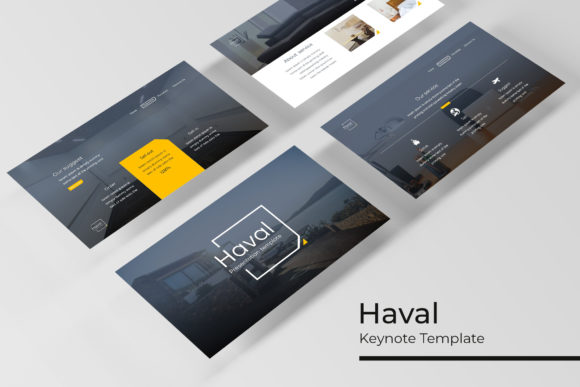
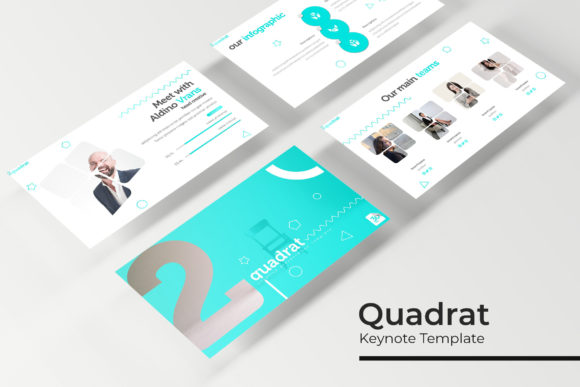
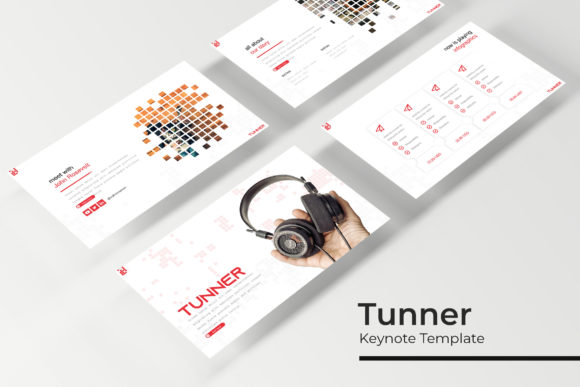
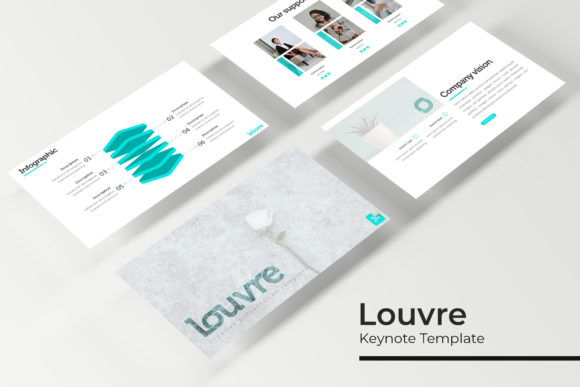
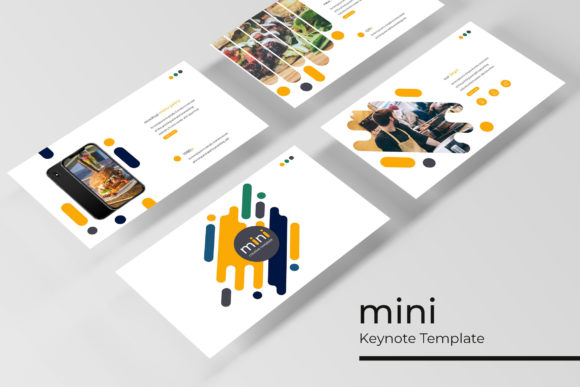
The Mini Keynote Template set is more than a bundle of slides. It feels like a complete toolkit. Each of the 5 PPTX files comes in widescreen format, and every color variation has been handcrafted with care. The infographic slides, section break pages, gallery layouts, and portfolio templates are all built on master slides, which means you can drag and drop images into picture placeholders without breaking the design. The pixel-perfect illustrations ensure that everything stays crisp, whether you are presenting on a laptop or projecting on a large screen.
The templates use resizable and editable graphics, so you are never stuck with fixed elements that refuse to move. If you need to shift a block of text, swap an icon, or change the order of slides, you can do it quickly. This flexibility matters most when you are under deadline pressure and need to adapt on the fly.
Visual Personality and Style
The design language across all 5 color variations is clean, modern, and professional without feeling sterile. There is a warmth to the layouts — a deliberate use of whitespace, thoughtful typography hierarchy, and visual cues that guide the viewer’s eye naturally. The templates avoid heavy ornamentation, leaning instead on subtle infographic elements, soft section breaks, and portfolio grids that let your content breathe. This makes the set suitable for both serious corporate audiences and more creative fields like design, publishing, or branding.
The color palettes themselves feel curated. Each of the 5 premade variations works as a cohesive system, so you do not need to guess which shades complement each other. Whether you choose a muted, neutral theme or a bolder, high-contrast palette, the underlying structure remains consistent. That consistency is what builds trust with your audience — when slides flow seamlessly from one section to the next, your message feels more polished and intentional.
Where the Templates Work Best
Because the Mini Keynote Template set covers 150 slides with varied layouts, it adapts to many project types. Here are a few realistic scenarios where these templates shine:
Creative Portfolios and Galleries
The gallery and portfolio slide layouts are particularly strong. If you are a designer, photographer, illustrator, or content creator, these slides let you showcase work without overwhelming the viewer. The picture placeholders are sized and positioned to keep the focus on your images, while the surrounding text areas give you room to add context, project titles, or brief descriptions. Drag and drop your visuals in place, and the layout adjusts gracefully.
Brand Identity Presentations
For brand strategists and entrepreneurs, the section break slides and infographic pages help structure a brand story from start to finish. You can introduce your brand values, show market research through infographics, display mood boards, and close with a clear call to action. The premade color variations also make it easier to align the deck with existing brand colors — or to use the templates as inspiration when developing a new brand identity.
Marketing and Pitch Decks
Marketers and small business owners often need to move fast. A pitch deck that looks cohesive and professional can make the difference between landing a client or losing their attention. The Mini Keynote Template set gives you slides for data visualization, team introductions, product showcases, and closing statements. The infographic elements are especially useful for turning raw numbers into digestible visuals that support your message rather than distracting from it.
Internal Reports and Company Updates
Even internal presentations benefit from strong design. When you present quarterly results, strategy updates, or team milestones, the clean layouts help maintain professionalism without feeling overly formal. The 5 color variations also allow different departments or projects to maintain their own visual identity while staying within the same template system.
How the Templates Influence Readability and Engagement
Good presentation design is invisible — it supports the message without calling attention to itself. The Mini Keynote Template achieves this through thoughtful visual hierarchy. Headlines sit clearly above body text, infographics separate data from narrative, and section breaks give the audience mental breathing room between topics. This structure keeps viewers engaged because they always know where to look next.
From a brand perception standpoint, using consistent, well-designed templates signals that you care about details. Audiences — whether they are clients, stakeholders, or colleagues — pick up on visual coherence. It suggests reliability, preparation, and respect for their time. Over time, this builds recognition. When people see your presentations, they associate that clean, professional look with your work.
The pixel-perfect illustrations also play a role here. Blurry or misaligned graphics break immersion. When every element is sharp and intentionally placed, the presentation feels more authoritative. This is especially important in remote or hybrid meetings where screen quality varies — crisp visuals hold up better across different devices.
Evaluate Project Fit Before You Start
Before you open any PPTX file, take a moment to assess your project’s needs. Ask yourself: How many slides do I realistically need? What tone matches my audience? Which of the 5 color variations aligns best with my brand or topic? This upfront thinking saves time later. The templates are flexible, but starting with the right palette and layout type makes the workflow smoother.
Test Font Pairings Within the Template Structure
The Readme First file includes a free font download link, which is a thoughtful addition. Typography choices can elevate or undermine a presentation. I recommend testing your font pairings early — ideally before you build out all your slides. A clean sans serif for headlines paired with a legible serif for body text often works well for professional decks. For more creative projects, a display font for key titles can add personality without sacrificing readability. The template’s master slides are designed to accommodate these swaps without breaking the layout.
Review All Included Slide Types
With 30 slides per color variation, you have room to explore. Flip through all the section break slides, infographic options, gallery layouts, and portfolio pages before you start building. You might discover a layout that fits a specific piece of content better than you initially expected. Knowing the full range of what is available helps you avoid recreating slides that already exist.
Consider Readability for Your Audience
Readability goes beyond font choice. Think about contrast, text size, and how much information you put on each slide. The template’s built-in spacing and hierarchy already handle much of this, but you still control the content. Keep headlines concise, break data into infographics rather than dense tables, and use the gallery slides to let visuals speak for themselves. When your audience can scan a slide and understand the core idea in seconds, you are doing it right.
Commercial Licensing and Usage Notes
The Mini Keynote Template set is a commercial font product, which means you can use it for client work, branded presentations, paid projects, and commercial publications. The included free font link gives you access to typefaces that are licensed for most standard uses, but always double-check the specific font licenses if you plan to distribute the presentation widely or embed fonts in a PDF. The photographs shown in the preview are for illustration only — you will need to supply your own images, which also gives you full control over copyright and visual consistency.
Real-World Observations from Using the Templates
I have worked with presentation templates across many projects, and what stands out about this set is the balance between structure and flexibility. Some template bundles feel rigid — you either use them exactly as designed or you fight against the layout. The Mini Keynote Template avoids that trap. The master slide foundation means you can customize without accidentally breaking other slides. The drag-and-drop picture placeholders work as expected, and the resizable graphics hold their proportions well.
The infographic slides deserve a special mention. Too often, infographic templates try to do too much — cramming icons, arrows, and data points into a single slide until it becomes noise. Here, the infographic elements are restrained. They clarify information rather than complicate it. That restraint is a sign of thoughtful design, and it directly benefits your audience’s understanding.
The 5 color variations also offer more than just aesthetic choice. They allow you to test different moods for the same content. I have seen teams use the same deck structure across two color versions — one for a formal client pitch and another for an internal strategy session — simply by swapping the PPTX file. This kind of adaptability saves time and keeps your brand consistent even when the tone shifts.
For content creators and hobbyists who present regularly, having a reliable template system reduces the friction of starting from scratch. You can focus on refining your message, gathering better visuals, and practicing your delivery. The design framework is already solid. That is the real value of a well-built template: it frees you to do your best work.
If you are evaluating whether this set fits your workflow, consider the range of slides included. With 150 total slides, 5 premade colors, and 30 slides per variation, you have enough material to build multiple presentations without repeating layouts. The section break slides alone can transform a monotonous deck into one with clear narrative chapters. The gallery and portfolio slides turn image-heavy content into professional showcases. And the infographic pages give you tools to present data with clarity.
Ultimately, presentation design is about communication. The Mini Keynote Template set helps you communicate with consistency, professionalism, and visual polish — whether you are a seasoned designer or someone who just needs to put together a great-looking deck without spending days on it.