Moreless Google Slide Template: 150 Slides for Pro Presentations
Building a presentation from scratch is a major drain on your time and creative energy. You have the content, the data, and the vision, but translating that into a visually cohesive slide deck can take hours. The Moreless Google Slide Template was built to solve this exact problem. It provides a complete ecosystem of 150 total slides, giving you a professional foundation that works right out of the box. Whether you are preparing a pitch for investors, designing a portfolio, or teaching a course, this template streamlines the design process so you can focus on your message.
Understanding the Scale: A Complete Presentation Ecosystem
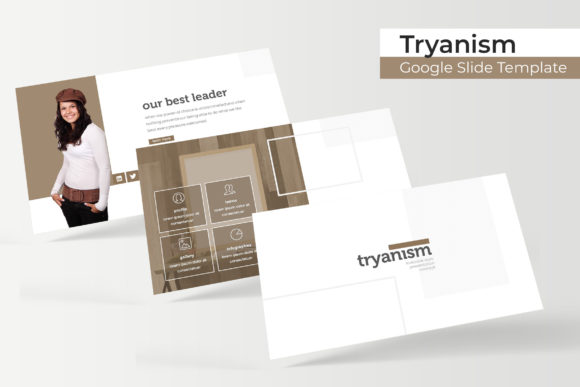
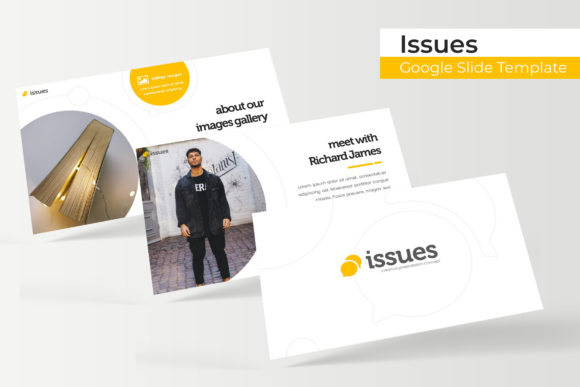
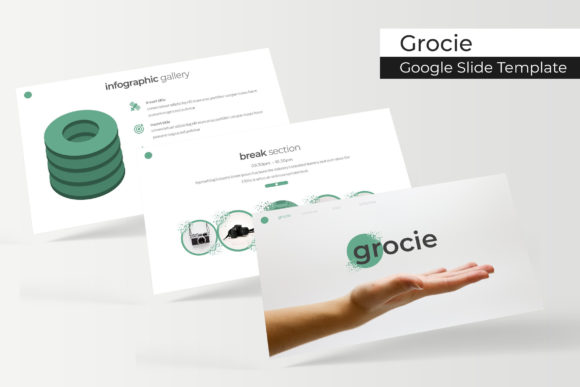
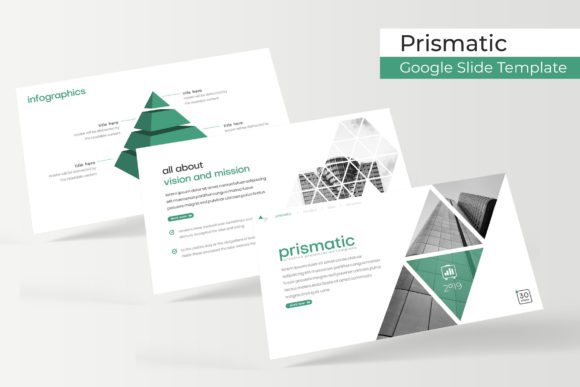
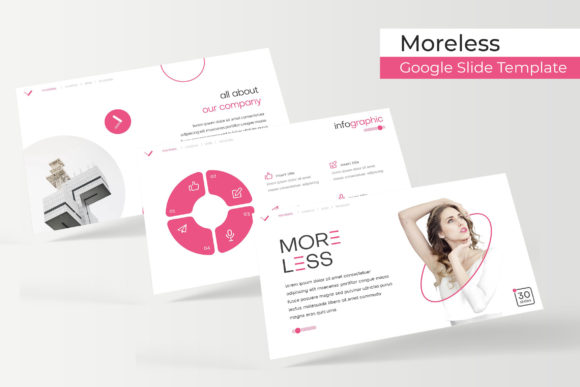
Most templates offer a single look with ten to twenty slides. The Moreless approach is different. You are getting five distinct color variations, each containing 30 unique slides. This structure, with 5 premade colors and 30 slides for each template, means you are never forced to reuse a layout that doesn't fit your content. If you are working on a long report, you can maintain visual interest by varying your slide layouts without leaving the template's ecosystem. For a beginner, this removes the guesswork. You no longer have to wonder how to structure an agenda, present data, or wrap up a meeting. The framework is already there, leaving you to simply fill in your text and images.
Five Complete Decks in One Package
Having 5 PPTX files might seem like overkill, but it is a practical advantage for anyone who presents regularly. You can assign a specific color to a specific type of presentation or client. For example, you might use the blue variation for internal company updates and a warmer tone for client-facing proposals. Since each file is based on the same master slides, the quality and consistency remain high across all your work. This also allows for quick branding adjustments. If a client wants to see a different color palette, you can show them an entirely different deck in minutes, not hours.
Real-World Applications: Where This Template Shines
The flexibility of the Moreless Google Slide Template makes it suitable for a wide range of professional and creative tasks. Its purpose is to provide a polished, modern aesthetic that adapts to your specific context.
Entrepreneurs and Startup Founders
When pitching your business, every slide needs to build confidence in your idea. The included section break slides and gallery and portfolio slide layouts are ideal for telling a compelling story. You can use a clean section break to transition from "The Problem" to "The Solution." The portfolio slides are perfect for showcasing testimonials, team member profiles, or featured products. The handcrafted infographics help you present market data and growth projections clearly, so your audience grasps the key numbers immediately.
Freelancers and Creatives
Your portfolio is your strongest marketing tool. The template's design puts your work front and center. The resizable and editable graphic picture placeholders allow you to drag and drop your project images directly into the layout. Because the template uses pixel-perfect illustrations and clean lines, your portfolio will look polished and professional. Whether you are a photographer, designer, or consultant, these slides help you present case studies and past projects in a structured, visually appealing way.
Educators and Trainers
For workshops and webinars, clarity is essential. The handcrafted infographic in Powerpoint style translates perfectly to educational contexts. You can break down complex topics into digestible visual steps. The 150 total slides give you enough room to build out an entire course module without needing to supplement from other sources. The consistent design language helps learners follow along without visual distractions.
Features That Save You Time and Effort
The value of a template lies in the details. The Moreless pack is built on master slides, which is a game-changer for anyone who needs to make global changes. If you decide to swap a logo or change a font, you can do it once, and it updates across every slide in that file. This ensures brand consistency with zero busy work.
Drag-and-Drop Simplicity
You do not need to be a design expert to use this template effectively. The picture placeholders are pre-sized and positioned. You simply drag your image into the placeholder, and it fits perfectly. This eliminates the frustration of manually cropping and resizing images. The same applies to the infographics and icons. Every element was created with pixel-perfect precision, so moving things around does not break the layout.
Handcrafted Infographics for Data Storytelling
Charts and graphs are often the most difficult part of a presentation to design well. The handcrafted infographic in Powerpoint included in this pack gives you a head start. These are not just basic charts; they are visually rich graphics designed to communicate data in a memorable way. Whether you are showing progress, comparisons, or timelines, these infographics help your audience understand at a glance.
What’s Included in Your Download
Knowing exactly what you are getting is important before you start building your presentation. The package is comprehensive and straightforward.
- 5 PPTX Widescreen Files: Each file corresponds to one of the 5 premade colors. The widescreen format is standard for modern projectors and screens.
- 5 Premade Color Variations: You can instantly switch the entire mood of your presentation by opening a different color file. This is perfect for testing which palette works best with your content.
- 150 Total Slides: This is the sum of all five templates. You have a massive library of layouts at your disposal, including covers, section breaks, content slides, and portfolio pages.
- Readme First File and Font Links: The package includes clear instructions and a free font download link. Using the recommended fonts ensures your presentation looks exactly like the preview.
Important Note on Photography
It is common for template previews to use beautiful stock photos. However, all photographs or pictures used in the preview are not included. They are intended for illustration purposes only. This is a standard practice for template creators. You will need to supply your own images or use the placeholders to insert stock photos from your own library. The good news is that the picture placeholders are designed to make this insertion step incredibly fast and seamless.
Considerations for Getting Started
To get the best results from the Moreless Google Slide Template, there are a few things to keep in mind. First, make sure you have a basic understanding of PowerPoint. While the template is user-friendly, knowing how to navigate master slides and edit text boxes will make the process smoother. Second, take the time to read the included Readme file. It contains the links to the free fonts and any specific instructions regarding the graphics. Using the correct fonts is crucial for maintaining the designer look of the deck.
Another consideration is the balance between customization and consistency. You have the power to edit every element, but staying within the provided framework will yield the most professional results. The template was carefully designed, so minor tweaks to colors and text work better than attempting to completely restructure the slides.
Why This Template Works for Modern Presenters
The demands of modern presentations have changed. Audiences expect clean, visual, and engaging content. The Moreless Google Slide Template meets this demand by providing a resource that prioritizes clarity and aesthetics. It is not just about having a nice background; it is about having a strategic tool that helps you structure your thoughts visually.
For small business owners, this template replaces the need to hire a designer for a simple deck. For marketers, it provides a professional backdrop for campaign proposals and monthly reports. Beginners will appreciate the drag-and-drop functionality, while experienced users will value the depth of the master slides and the variety of the 5 color variation options.
The handcrafted infographic elements alone can elevate a standard presentation into something that feels custom-made. By handling the visual heavy lifting, the template allows you to focus on what you are best at: delivering your message, sharing your data, and connecting with your audience.
Moving Forward with Your New Deck
When you invest in a high-quality template like this one, you are investing in your own professional image. The 150 total slides give you room to grow. You can use a single color file for a specific project and return to the others later. Over time, you will build a library of presentations that all share a high standard of design.
Start by exploring the 5 PPTX files and choosing a color that fits your brand or mood. Replace the placeholder images with your own work, input your text into the carefully designed layouts, and adjust the infographics with your data. The structure is there to support you, not to limit you. With the Moreless template, you have everything you need to create presentations that look professional, communicate clearly, and leave a lasting impression.